A private clipboard manager for Mac · macOS · beta
Everything you copyburns brightfor a moment.
Ember keeps the fire. Private, local, one keystroke away.
You copy ~300 times a day.
Your Mac keeps one.
Every ⌘C overwrites the last. The command, the link, the paragraph — gone the moment you copy the next thing. You have felt this. Everyone has.
Watch it happen
Copy. Summon. Paste. — four seconds, no mouse.
1. merge release PR
2. run the migration ↓
Ember Sparks
Some clips want to act.
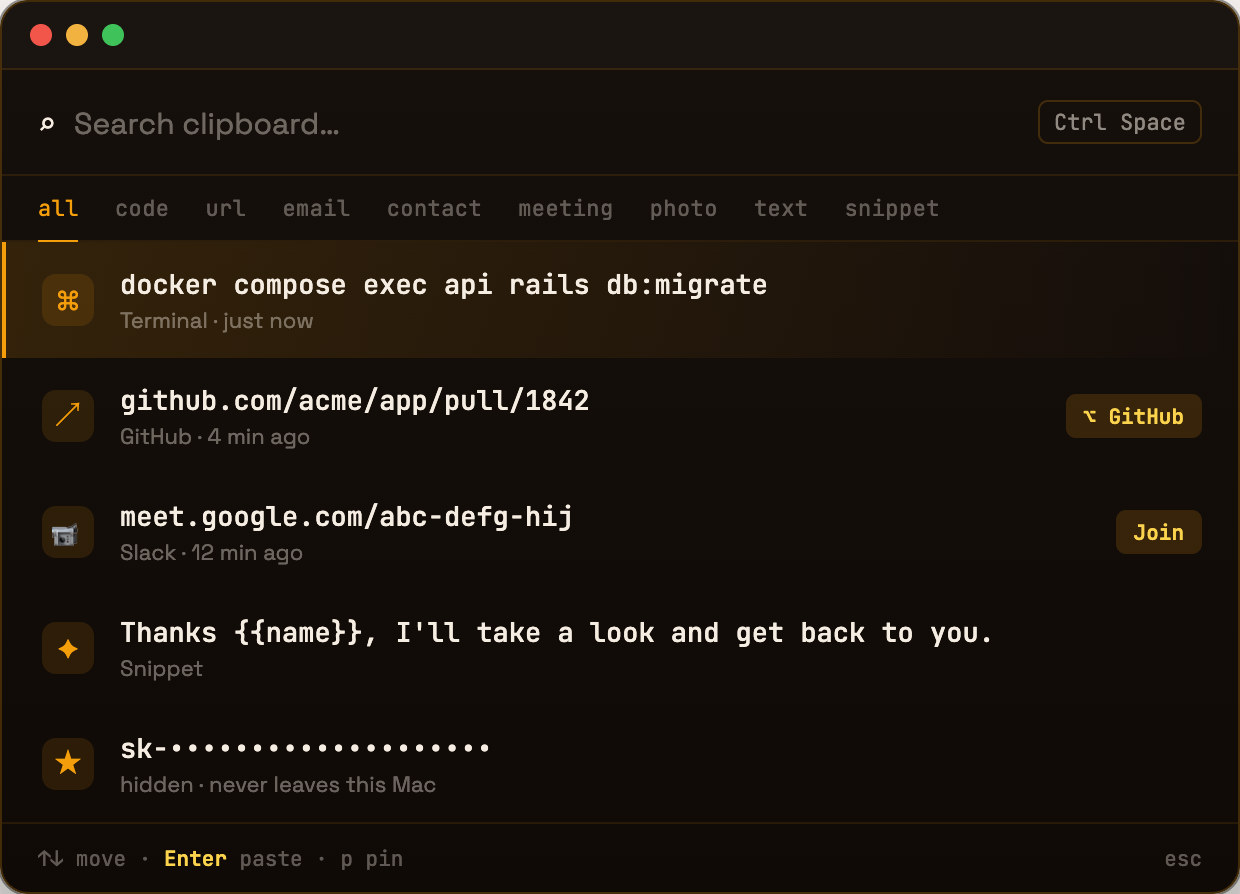
Ember reads the shape of what you copy. A YouTube link isn’t text — it’s a video you meant to watch. A meet link is a room. A PR link is a review. Ember suggests the action; you press one key.
youtube.com/watch?v=dQw4w9WgXcQAnd when Ember doesn’t know your workflow — teach it. Create your own sparks: match a pattern, name the action, and every future clip that matches lights up ready to go.
01 · Developers
Your terminal has a memory now.
Commands, tokens, PR links, stack traces — the whole trail of a working day, searchable in one keystroke. Ember recognizes developer-shaped clips and keeps them ready to run again.
docker compose exec api rails db:migratepaste into any terminalgithub.com/acme/app/pull/1842reopen the PR you lost in SlackTypeError: cannot read properties…the trace you copied, still here02 · Writers & editors
Every draft you almost lost.
The sentence you cut but might need. The quote from the doc. The reply you send every week — saved as a snippet with fill-in fields. Ember is a margin for your thinking.
the paragraph you rewrote four timescut, not goneThanks {{name}}, I’ll take a look and get back to you.fill → paste cleanscreenshot of the layout noteimages remembered too03 · Power users
One keystroke between apps.
Meeting links become Join buttons. YouTube links become Watch. Pin the clips you live in. Ember stays out of sight until Ctrl+Space, then gets out of the way again.
meet.google.com/abc-defg-hijJoin — one clickthe address / IBAN / license keypinned, forever one key away300 copies a dayzero of them lostThe boring, load-bearing part
Built in Rust .
Leaves your Mac never.
Your clipboard is the most sensitive stream on your computer — passwords pass through it. Ember stores everything in a local SQLite file, in a native Rust core that starts instantly and idles at nothing. No cloud. No account. No AI reading your clips.
New · Password vault
Your passwords,
sealed on your Mac.
Copy a password and Ember tucks it into an encrypted vault — searchable by where it came from, but masked until you reveal it. The secret is encrypted on your device; the key lives in your macOS Keychain, so nothing ever leaves your Mac.
Know before installing
Trust should be inspectable.
Keep the fire.
Free during beta. Your data stays on your computer — that part is not a beta.
Not notarized yet, so macOS blocks it on first launch — that's expected, not a broken download. Open System Settings → Privacy & Security, scroll down, and click Open Anyway next to Ember. One more confirm and it launches normally from then on.